Touch Indicator for the Terminal
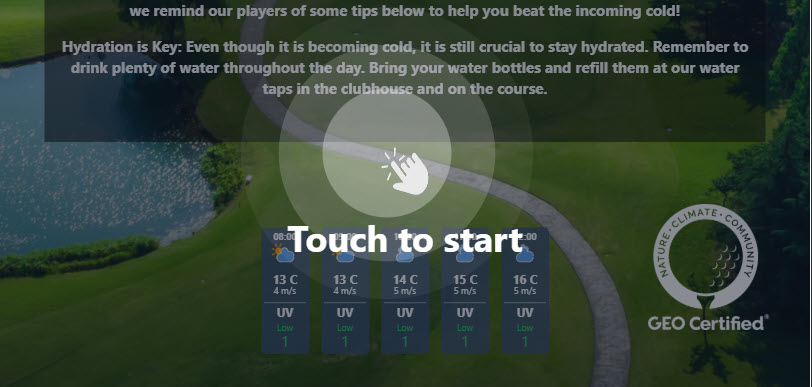
New Touch Indicator for the How Many Strokes Terminal
Help players instantly understand the screen is interactive and touch-enabled.
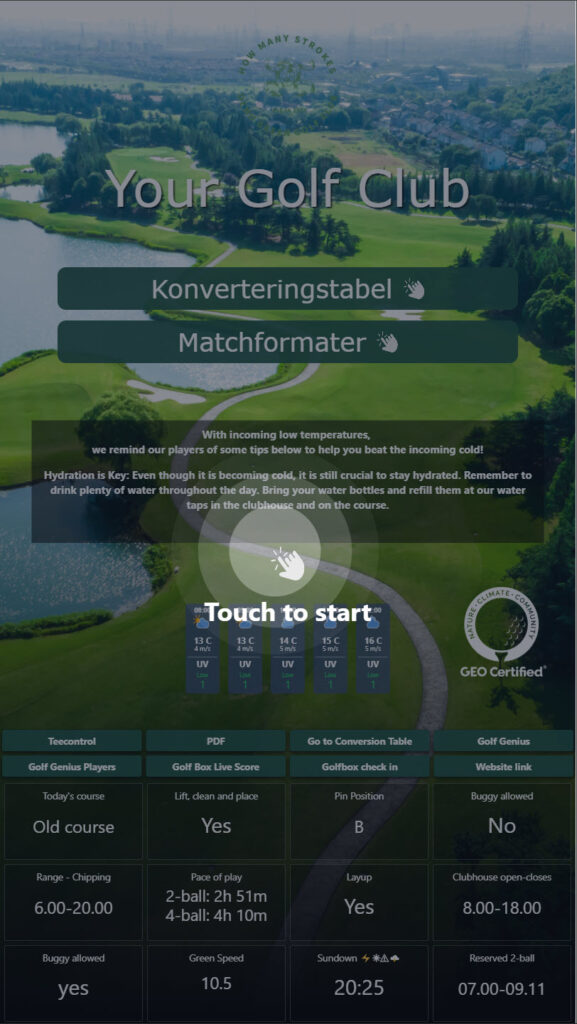
The indicator animates a finger tap on the screen so golfers know they can interact—perfect for first-time users or busy starter houses.
Instant clarity
A subtle looping animation that says “Touch to start” without interrupting content.
Fullscreen option
Enable for fullscreen images (e.g., hero screens) so the cue sits neatly on top.
Custom interval
Choose how often it appears: set the timer to show the animation every xx seconds.
How to enable
- Open the How Many Strokes Management System.
- Go to Terminal settings for the relevant screen.
- Toggle Touch Indicator to On.
- (Optional) Toggle Show on fullscreen picture.
- Set Interval (e.g., every 30 seconds).
- Save and it will be enabled on the HMS screen.
Why it matters
- Reduces confusion—players recognise it’s touch-driven immediately.
- Improves throughput at busy times (“Touch to start”).
- Looks polished and on-brand with a lightweight animation.
Stay Connected:
Empower your golf course operations with the newly updated Course Update App—where simplicity meets functionality. Streamline your communication, stay organised, and keep your staff and players updated with ease.
Experience the difference today!
Video Overview
In the accompanying video, discover how the How Many Strokes app revolutionizes communication at your club. Witness the user-friendly interface that allows for easy navigation and instant access to essential features. Learn how clubs worldwide are benefiting from modernizing their operations and enhancing player engagement.