Help on all menus in the Management System

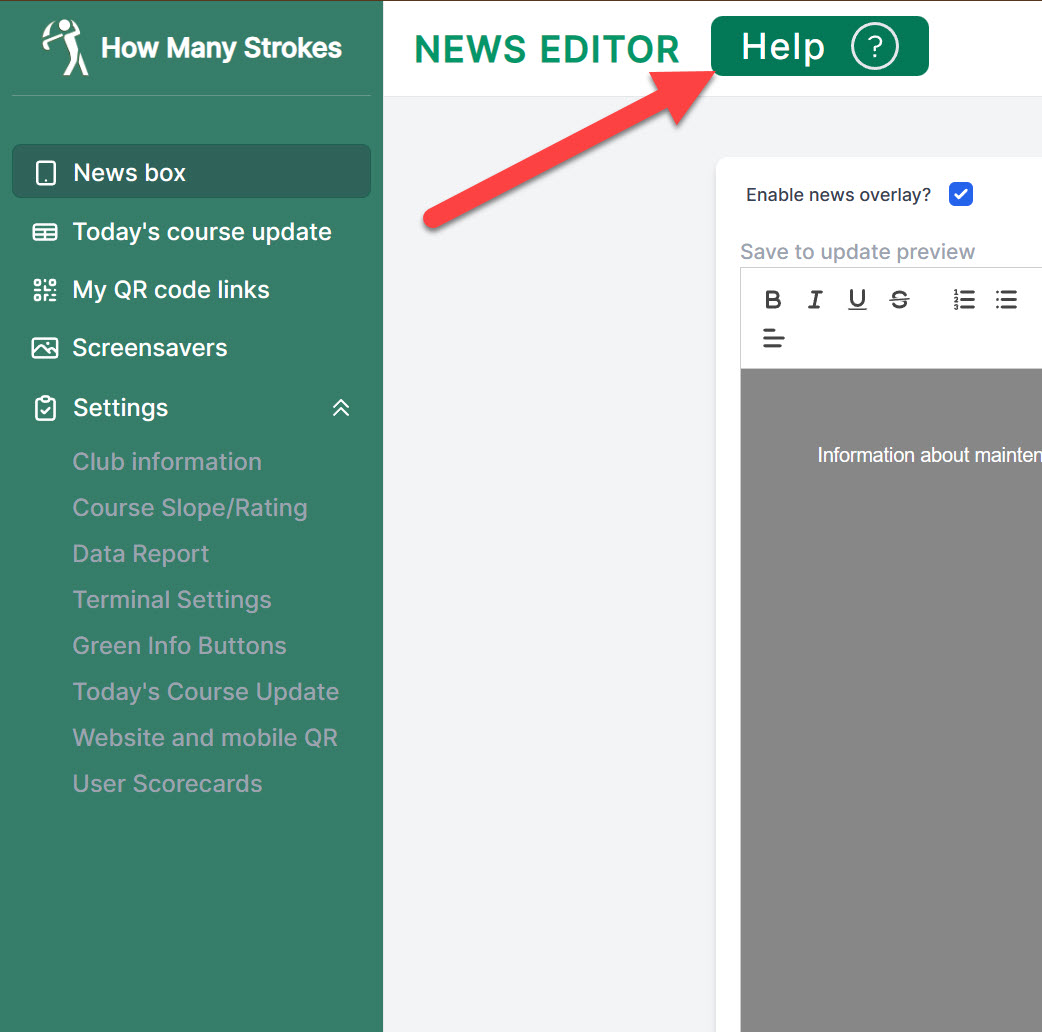
To improve our user friendly management system we have added help to all pages in the system. If you want to know more about how to do specific things or set-up new functionality just click the "HELP" button at the top of the page. You can see an overview of the help index here. This overview is also available in he management system. If you have questions or need help setting up new things, you are always welcome to contact us at info@howmanystrokes.com
Read more...
UV Index And Lightning Warning

UV Index and Lightning warning

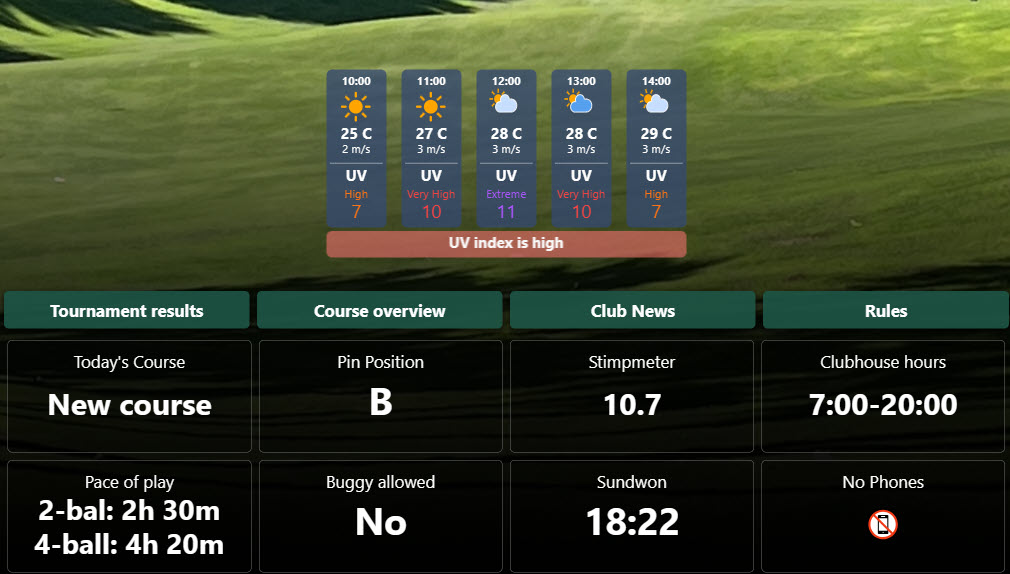
UV Index and Lightning warning has been added to the weather update. It will help golfers prepare for extreme conditions. The UV Index will warn the players about dangerous UX levels and is a good chance for the shop to sell some extra sun screen. The warning box only shows when there is any danger. The Ultraviolet (UV) Index is a measure used internationally to quantify the strength of ultraviolet radiation from the sun at a specific location and time. The higher the UV Index value, the greater the potential for damage to the skin and eyes, and thus the greater the need for protection. The warning level is 5 or above.
Read more...

Create any type of daily course update

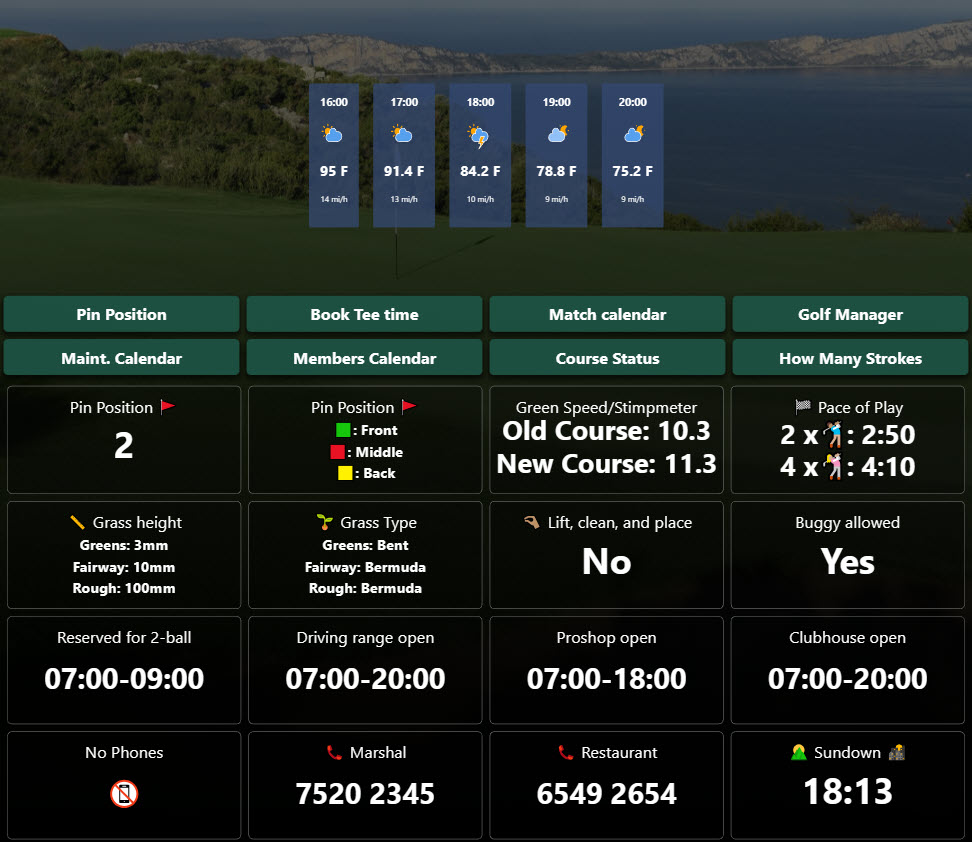
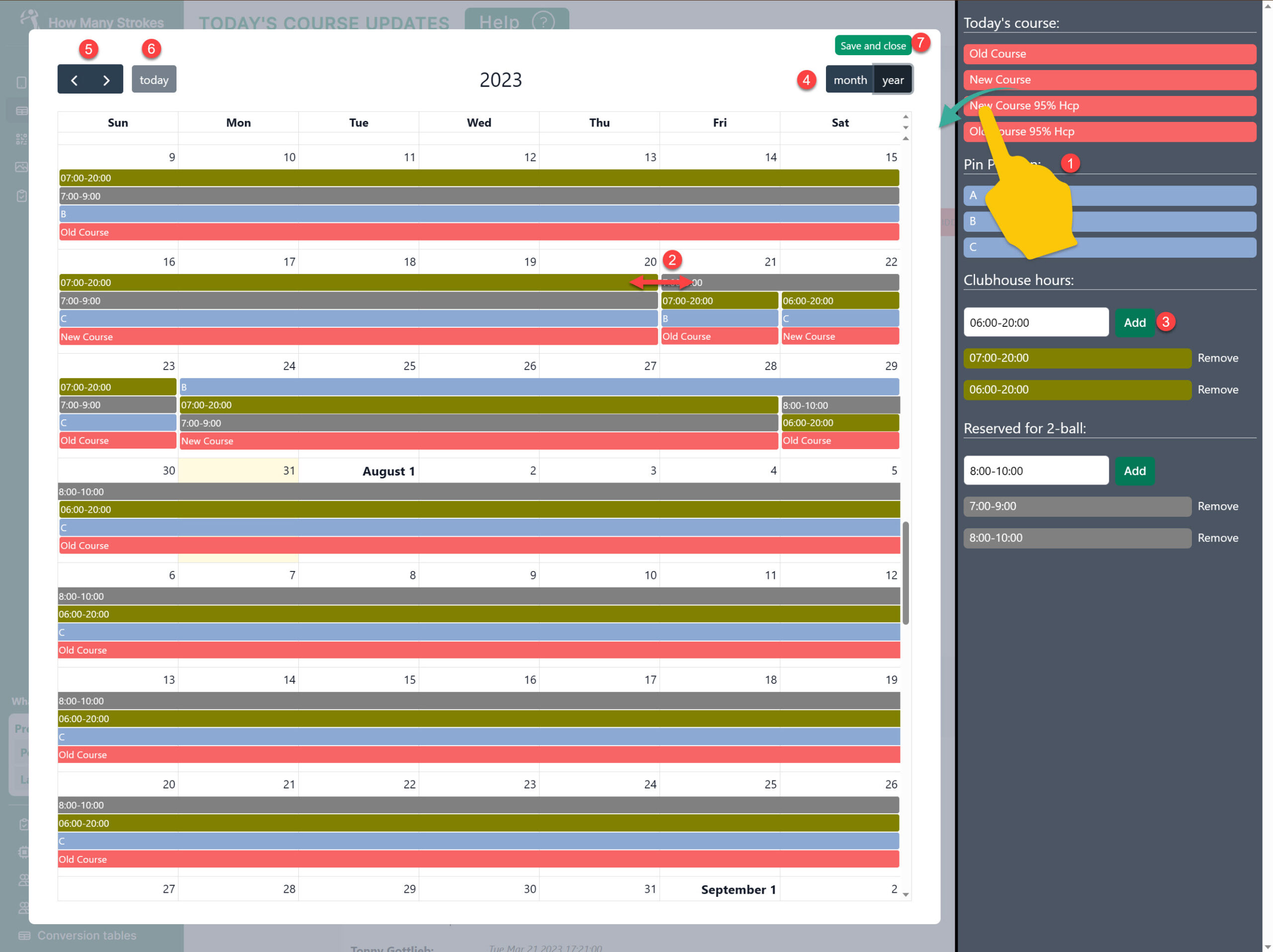
Setup the Today’s Course Update info boxes. All the boxes can now be customized to match almost any information that you want to share with your members and guests. All changes can be updated from the Mobile version or you can use the new Calendar scheduler. Below the settings you can see a list of examples with ideas for you to add to your Terminal screen.  

List of predefined daily course update info boxes:

Green Speed/Stimpmeter: Show Green Speed (Stimpmeter) for 1-3 courses. Update daily from the Greenkeeper App or plan in the calendar scheduler Today's Course: Show Today's Course. Update daily from the Greenkeeper App or plan in the calendar scheduler Pin Position 🚩: Show Today's Pin Position. Define your own pin names as 1, 2, 3 ... Update daily from the Greenkeeper App or plan in the calendar scheduler Pin Position 🚩: Show Today's Pin Position. Define your own pin names as exam. "Front: Red Flag", "Middle: Yellow Flag", "Back: Blue Flag" Pace of Play: Show Pace of Play. Ex. 2-ball: 2 hours 30 min. 4-ball: 4 hours 10 min. Reserved for 2-ball: Show Reserved for 2-ball. Ex. 07.00-9.00 are reserved for 2-ball. Can be updated from Mobile phone or scheduled in calendar. Grass height: Show Grass length for Greens, Fairway and Rough. Update daily from the UpdateApp Grass Type: Show Grass type for Greens, Fairway and Rough. Lift, clean, and place: Show Lift, clean, and place / Preferred lie. Update daily from the Greenkeeper App Clubhouse open: Show Clubhouse closes/hours. Update daily from the Greenkeeper App or plan in the calendar scheduler Proshop open: Show Proshop closes/hours. Update daily from the Greenkeeper App or plan in the calendar scheduler Driving range open: Show Driving range closes/hours. Update daily from the Greenkeeper App or plan in the calendar scheduler. Restaurant open: Restaurant closes/hours. Update daily from the Greenkeeper App or plan in the calendar scheduler Parking space open: Show Parking space closes/hours. Update daily from the Greenkeeper App or plan in the calendar scheduler Buggy allowed: Show Buggy allowed. Update daily from the Greenkeeper App or plan in the calendar scheduler Trolley allowed: Show Trolley allowed. Update daily from the Greenkeeper App or plan in the calendar scheduler Cart Path only: Show Cart Path only. Update daily from the Greenkeeper App or plan in the calendar scheduler 📞 Marshal: Show Phone no. to call Marshal. Can also be scheduled in calendar if different no. on different days 📞 Restaurant: Show Phone no. for Restaurant No Phones: Show that talking on mobile phones are not allowed Pin Position 🚩 : Show Today's Pin Position. Define your own pin names as A, B, C ... Update daily from the Greenkeeper App or plan in the calendar scheduler You can read more about how this work and hw to create your own in the help section: Help - Today's Course Update - settings - How Many Strokes You can always contact support by e-mail at: support@howmanystrokes.com or call us at +45 7239 1000 if you need help  
Read more...
How Many Strokes News Box cover

Introducing the News Box: Instant Communication for Golfers

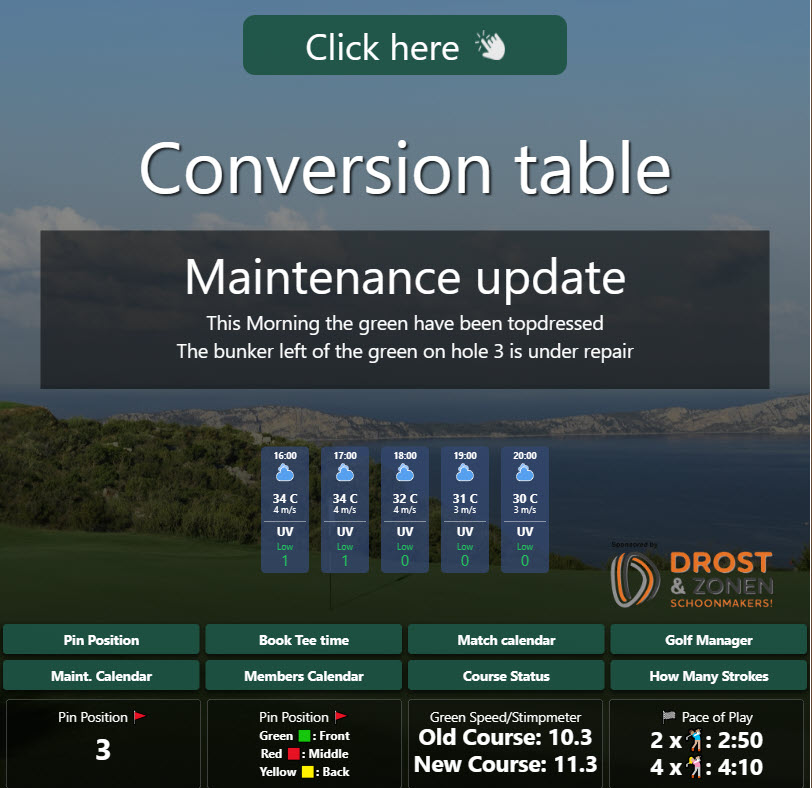
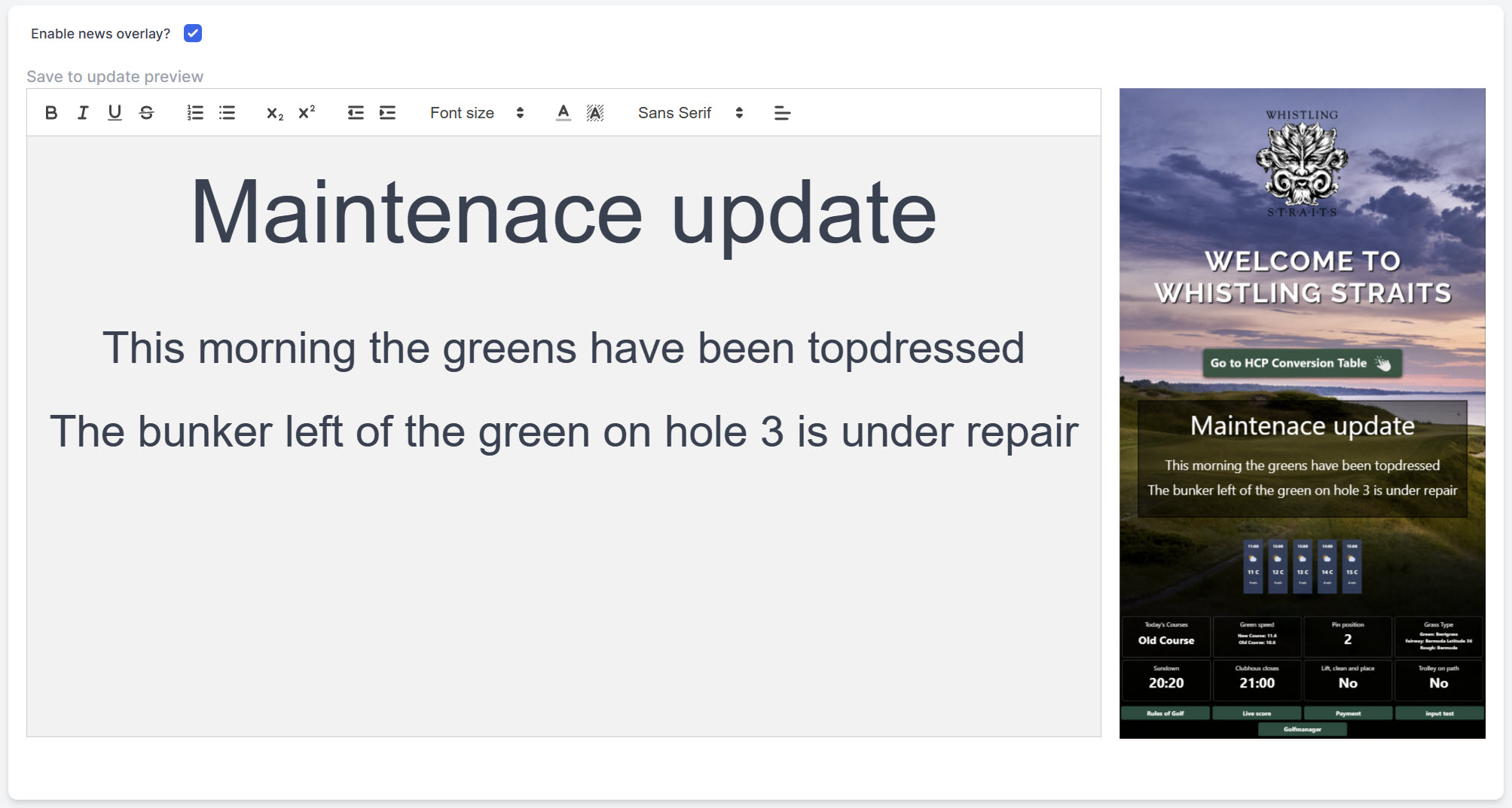
Introducing the How Many Strokes News Box: Instant Communication for Golfers Want to keep your players informed with timely updates? Look no further than the How Many Strokes News Box, your quick and easy solution for sharing daily information with golfers. Customize the News Box to your liking by selecting the color and size, and position it anywhere on the screen for maximum visibility. With the text editor in the Management system, crafting and designing messages to share with players has never been easier. The possibilities for communication are endless. Share company announcements, updates on course maintenance, reminders about upcoming events, special offers for members, or anything else that comes to mind. The News Box makes it easy to keep everyone in the loop. How Many Strokes News Box Editor With the live preview in the editor, you can see exactly how your News Box will look on the How Many Strokes Terminal without needing to check the physical screen. Once you're satisfied with your message, simply hit "Save" and watch as the Terminal is updated instantly. Say goodbye to outdated communication methods and say hello to the How Many Strokes News Box, your new go-to for instant updates and announcements.  
Read more...
How Many Strokes Infoboard overview with mobile and Terminal

Turn Your HMS screen into an information board!

Use your screen as a Digital information board and keep your members and guests informed in real-time

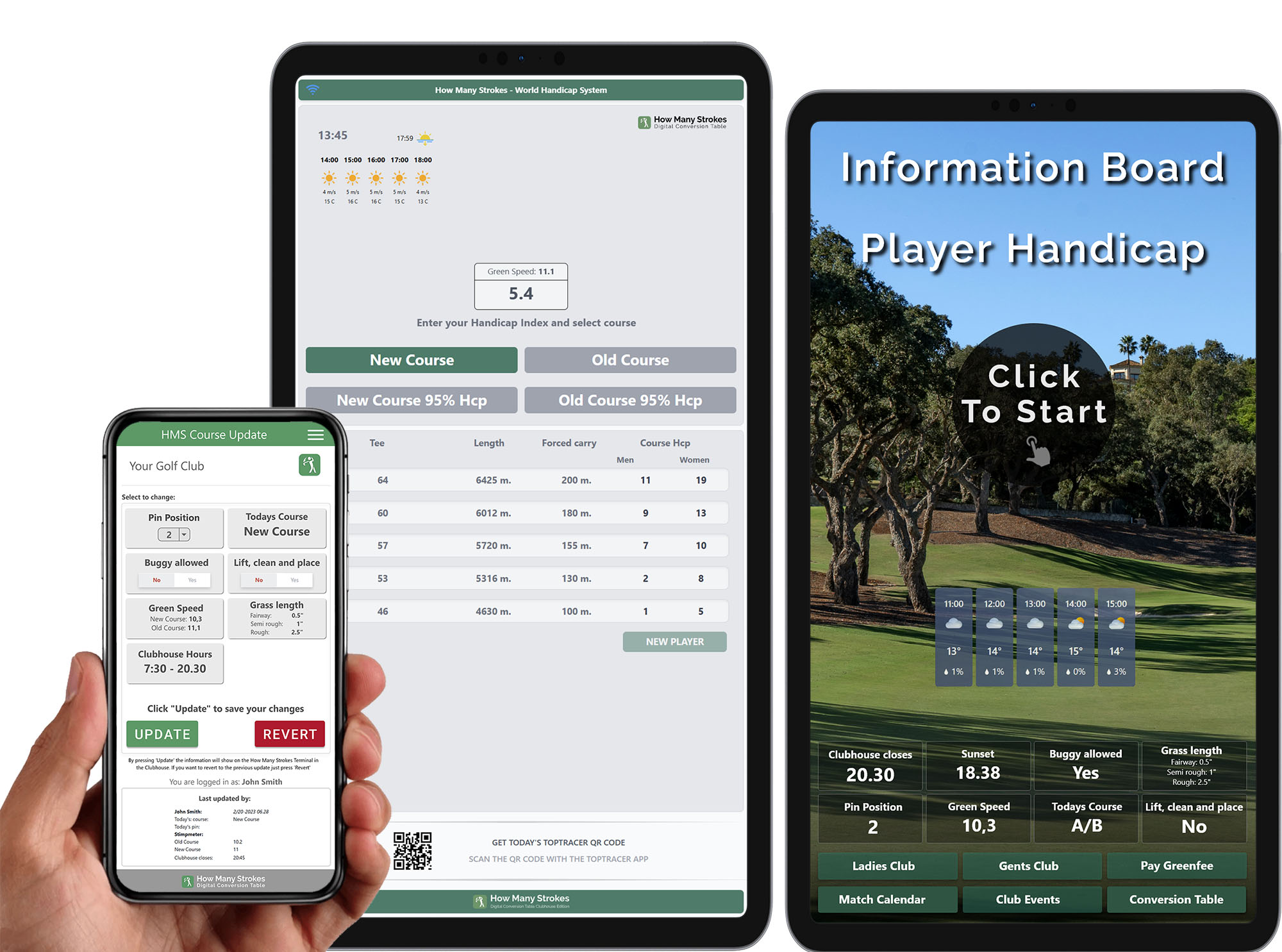
In today's fast-paced world, keeping your club members and guests informed about important events, schedules, and real-time updates is essential. One of the best ways to achieve this is by using a digital information board that displays all the necessary information on a screen. Using a digital information board like the How Many Strokes Screen is a great way to reduce the cost and time involved in creating and maintaining physical notice boards. With this system, you can display all the relevant information, such as the tournament calendar, course status, maintenance schedules, pin sheet, and any other important information you would typically print out and display on a physical notice board. One of the best things about the digital information board is that it can integrate with your existing systems, such as your website, social media platforms, or any other platform where you regularly update information. This means you can easily share information with your players and guests with just a click of a button without going through the hassle of updating multiple platforms. The system also offers the option to upload your information directly to the screen, which provides even greater flexibility regarding what you can display. You can customize the information displayed on the screen to suit the specific needs of your club members and guests. This means you can create a more engaging and personalized experience for everyone visiting your club. Another excellent feature of the digital information board is the ability to display small information boxes that provide details about the conditions surrounding the club and courses. These boxes can display important information such as today's course, the Stimpmeter on the greens, the time for sundown, today's pin position, and much more. However, the most impressive feature of this system is the ability for you and your staff to update the course information in real time from the Greenkeeper App. This means that if your staff member is out measuring the speed on the green in the morning, they can update all the information directly in the App, which will immediately be displayed on the How Many Strokes Screen. This real-time update feature ensures that all the information displayed on the screen is always accurate and up to date, which is crucial for providing a positive experience for your club members and guests. The system also helps to improve communication between staff and club members, making it easier to share updates and changes. In summary, a digital information board like the How Many Strokes Screen is an excellent way to inform your club members and guests in real time. It provides a more efficient way to share information, reduces costs, and offers a more personalized and engaging experience for everyone who visits your club. By clicking HERE, you can find more information about the Greenkeeper App, which allows for real-time updates. See the solution live HERE   
Read more...
PGA Show 2023 banner

Meet us at The PGA Show 2023

We hope  that you are excited to kick off the new year! As you may already know, the PGA Show is just around the corner, and we are thrilled to invite you to join us at booth 2848 from January 24th to 27th in Orlando, FL. This year's PGA Show promises to be bigger and better than ever, with plenty of exciting new products, demonstrations, and networking opportunities. We can't wait to share with you all that we have been working on and to hear about your plans for the year ahead. We understand that these are challenging times and that travel may not be feasible for everyone. Please don't hesitate to reach out to us to schedule a time to connect. We look forward to seeing you at the PGA Show and to the start of a successful and productive year!
Read more...