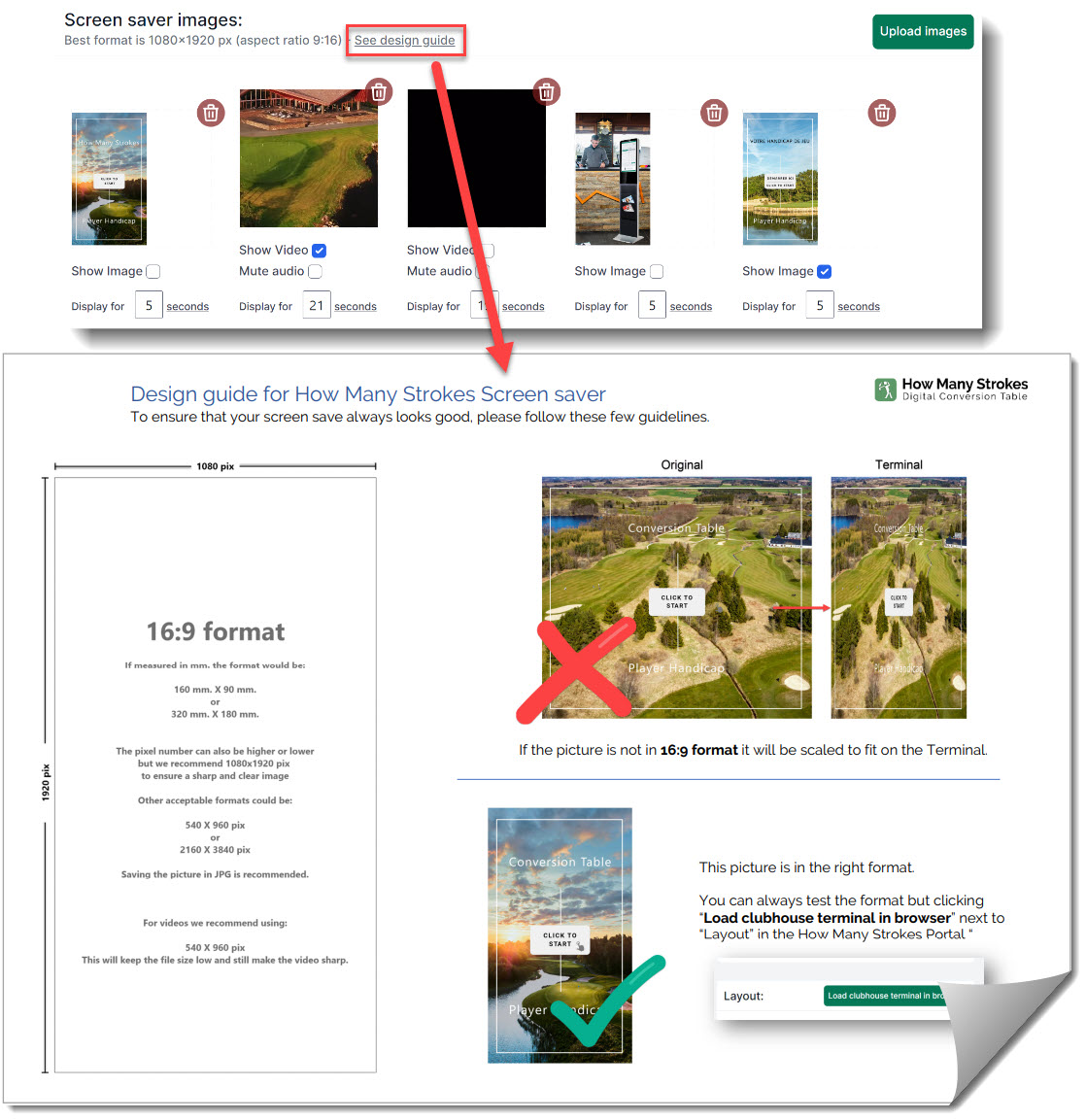
Design Guide for creating screen saver images for your Golf Club

The design guide for How Many Strokes Screen saver is made to ensure that your screen saver always looks good and is in the correct format. The Terminal will always scale the screen saver to fit the screen.  If your picture is square or in landscape mode, the result will be a distortion of the picture where the proportions are not right. A small number of pixel differences would work in most cases as they might not be visible, but why not get it right the first time and get the best possible result? You will find the design guide directly in the Portal where you upload new screen savers, but you can also download it HERE and print it out for future reference.
Read more...
You Can Now Show And Hide Selected Tees And Courses

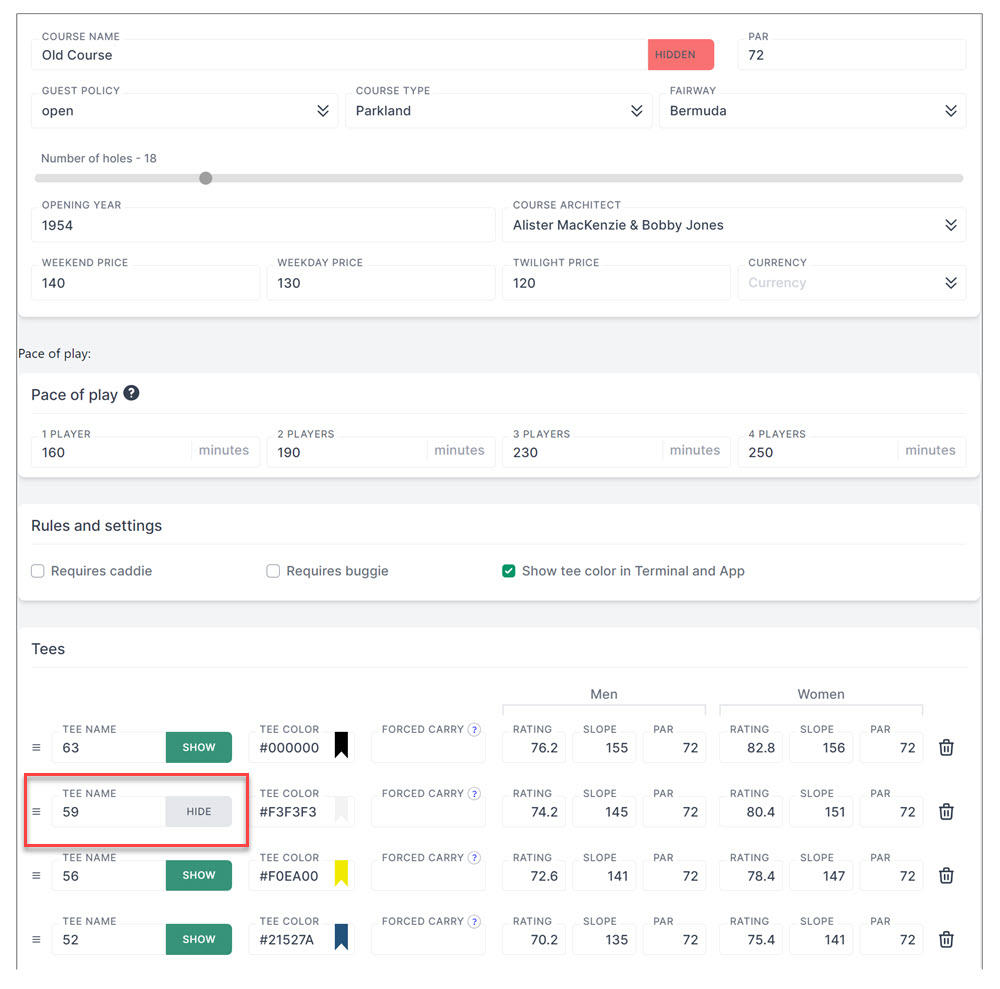
You can now show and hide selected Tees and Courses

In some situations, it is nice to be able to hide some of the Tee options or even a course. It could be that the course is undergoing maintenance or renovation for a longer period, or if you have season-based tee option, like winter and summer tees. You just click on the "Show/Hide" button next to the tee or course name to show or hide the option.
Read more...
Sort your Golf Courses on the Terminal

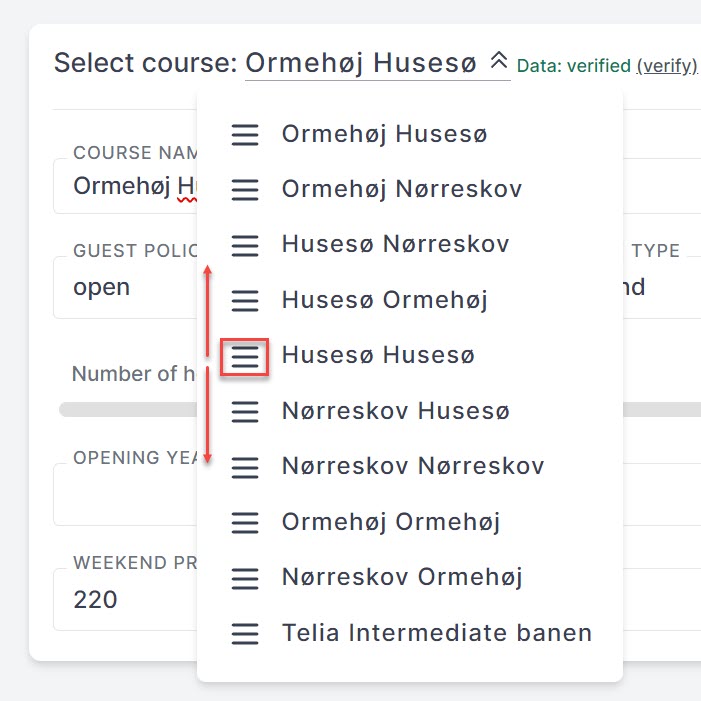
Sort your Golf Courses on the Terminal

Did you know that you can sort your Golf Courses on the Terminal to show the courses in a specific order? In some cases, you would want to have your 9-hole, Intermediate, and Par-3 courses shown as the last courses. Many of our customers have multiple 9-hole courses that are combined into several 18-hole courses with the 9-hole courses as separate options. In this case, it would be possible to move the 9-hole courses below the others. You simply sort the courses in the Portal by dragging the course to the right position in the course list.
Read more...
Customize button layout on Terminal

Customize button layout on Terminal

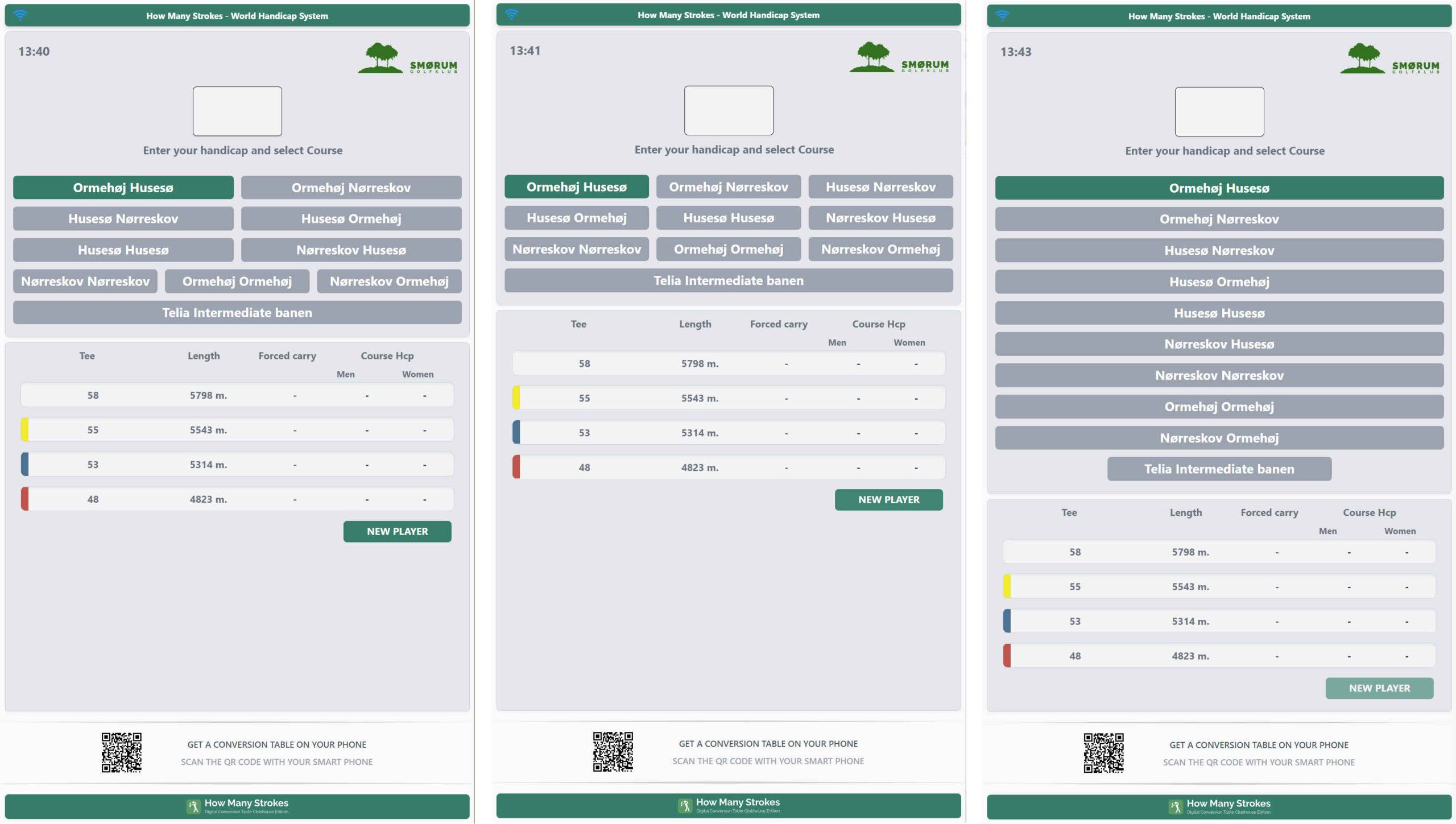
Many Golf Clubs have three or more courses. Often it is a combination of several 9-hole courses that can be combined. This, together with long course names can be difficult to fit into the default Terminal setup. You can now customize the button layout and get the exact layout that looks good with your number of courses. Besides changing the layout, the text size in the buttons can be changed as well.

Above are three examples from one of our customers who has ten courses.


Read more...