
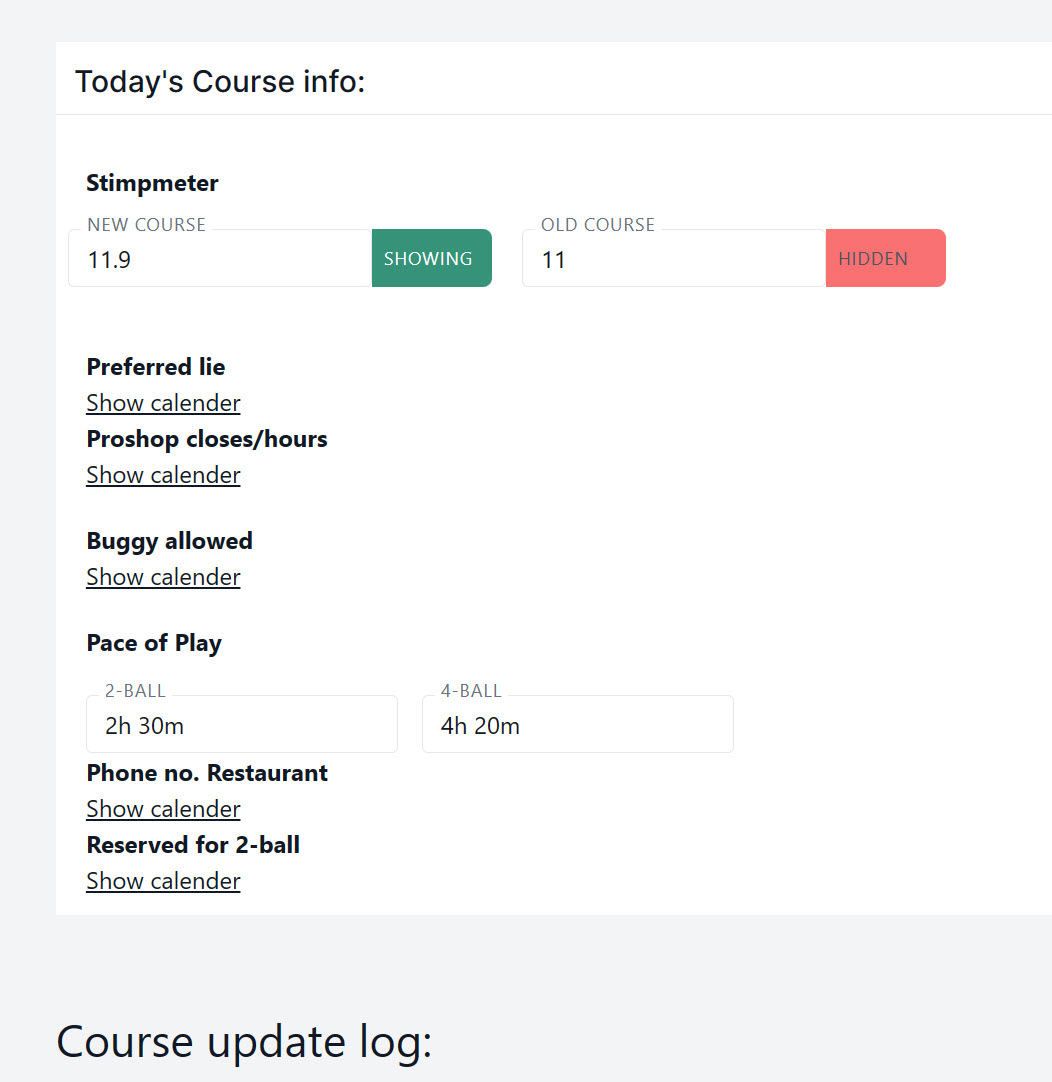
Hide or show specific courses in the Green Speed / Stimpmeter info box
How Many Strokes product news
Choose which green speeds to show
In case you only want to display the green speed for one cause you can now hide the speed for the courses that you don’t want to show. This could be if you have additional courses for handicap allowance (85%, 95% etc.) and only want to show the green speed for the main course.
For current information, see Course Update App. For related guidance, see putting green speed in context.
Hide or show specific courses in the Green Speed / Stimpmeter info box. In case your club only has one course, the course name will not be displayed.
To Hide or show specific courses in the Green Speed / Stimpmeter info box go to “Course Update App“








Leave a Reply
You must be logged in to post a comment.